
For students who submitted Official College Transcripts. Transfer Credit can be viewed in your MY PCCC Portal.
Step-by-step guide
For viewing your transfer credits:
-
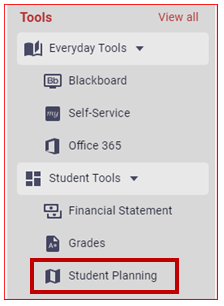
Click on "Student Planning", located under the Student Tools menu on the left-hand side.
-
Click on "Go to My Progress":
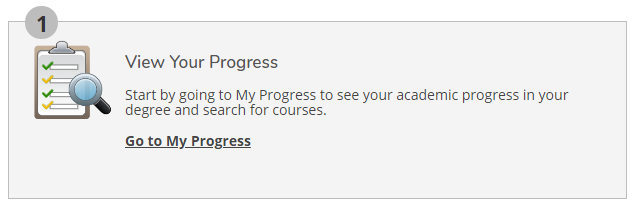
Go to my progress screenshot -
Scroll to the bottom of the page to view your placements.

Related articles