
For students who need to update their cell phone number.
Step-by-step guide
Update your cell phone number:
-
Click on "Self-Service", located under the Everyday Tools menu on the left-hand side.
-
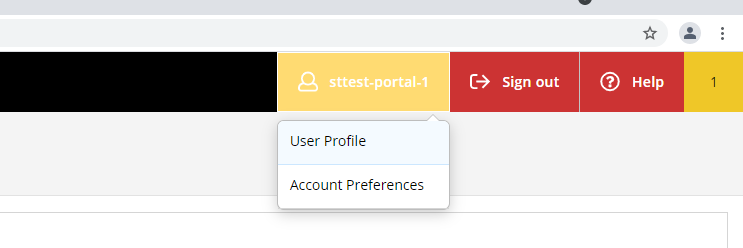
Click on your "username" in the top right hand corner, than select "User Profile".
-
Click on the pencil icon to update your cell phone number.

-
Delete any extra cell phone numbers listed here by clicking on the "X" icon. It is recommended you list only one cell phone number.
-
Click on the pencil icon to update your personal/internet email address.
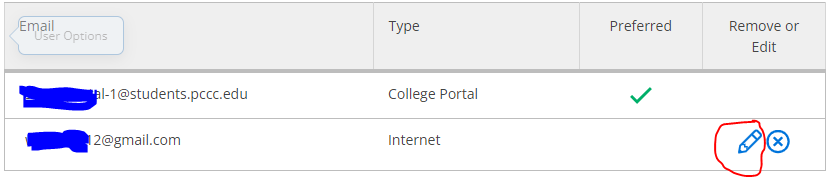
List only one cell phone number and delete any extra cell phone numbers listed.
Related articles