
For accessing your student email account after you have successfully completed the First Time User Tutorial.
Step-by-step guide
Login to the My PCCC Portal from a web browser (Chrome, Safari, Firefox, Edge ...)
-
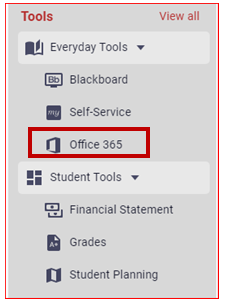
Click on "Office 365", located under the Everyday Tools menu on the left-hand side.
My PCCC Portal Account
-
Office 365 Student Email Account
-
All college communications will be sent to your Student Email Account
-
Check this account often for important updates from the College
-
-
Self Service
-
View and pay your bill
-
Register for classes
-
View and Plan your degree
-
Financial Aid Awards and Status
-
-
Blackboard
-
Access to your online course material.
-
Related articles