
For students who need to complete PDF forms.
PDF forms cannot be completed using a mobile device. Students will need to use a computer or laptop with Windows, Mac, or Chrome Operating systems.
Step-by-step guide
Windows Users
-
Adobe Reader should be installed on your computer/laptop. Users should update to the latest version of Adobe Reader before opening the form.
-
Windows and MAC Users: Get Adobe Reader (Free Download)
-
-
Download the PDF form (ex: Graduation Application, Drop/Add Form, etc ...) from the PCCC website and save it to a folder on your computer
-
Open the PDF form in Adobe Reader.
-
Complete the form by clicking within each field box (ex: First Name, Last Name, Student ID) and entering the proper information.
-
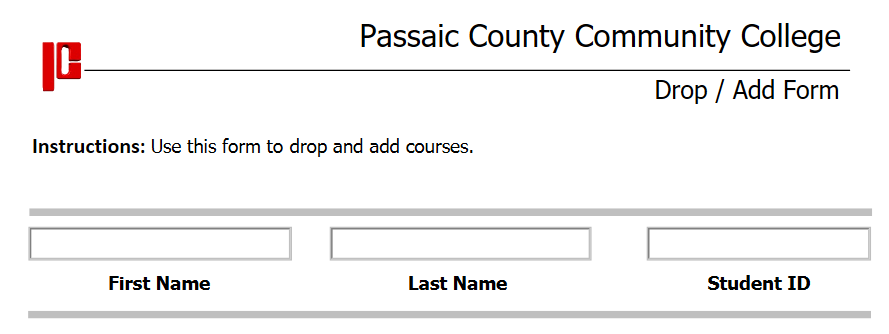
Form Example
-
-
Save the completed PDF form to your computer or laptop.
-
Email the completed PDF form to the proper PCCC Staff, Advisor, or Faculty.
Chromebook Users
-
Use the Chrome Browser on your Chromebook.
-
Download the PDF form (ex: Graduation Application, Drop/Add Form, etc ...) from the PCCC website and save it to a folder on your computer
-
Open the PDF form in the Chrome Browser.
-
Complete the PDF form by clicking within each field box (ex: First Name, Last Name, Student ID) and entering the proper information.
-
Form Example
-
-
Download the completed PDF form to your Chromebook again and save it.
-
Email the downloaded PDF form to the proper PCCC Staff, Advisor or Faculty.
MAC/iMac Users
-
Use a browser(Safari, Chrome, Firefox) on your mac/iMac computer.
-
Download the PDF form (ex: Graduation Application, Drop/Add Form, etc ...) from the PCCC website and save it to a folder on your computer.
-
Open the PDF from in Preview or Adobe Reader if it is installed on your computer.
-
Complete the PDF form by clicking within each field box (ex: First Name, Last Name, Student ID) and entering the proper information.
-
Form Example
-
-
Save the completed PDF form to your computer or laptop.
-
Email the completed PDF form to the proper PCCC Staff, Advisor, or Faculty.
PDF forms cannot be completed using a mobile device. Students will need to use a computer or laptop with Windows, Mac, or Chrome Operating systems.