
For students who need to view the required documents for Financial Aid Verification.
Step-by-step guide
View required verification documents:
-
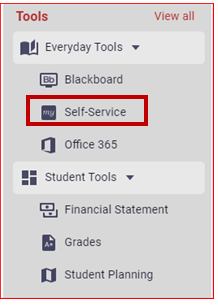
Click on "Self-Service", located under the Everyday Tools menu on the left-hand side.
-
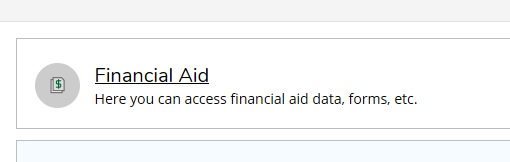
Click on the "Financial Aid" tile.
-
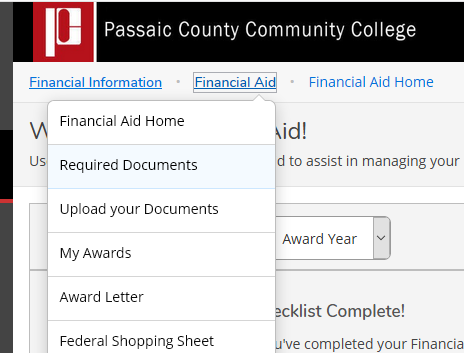
Click on the "Financial Aid" menu link at the top-left of the screen and then select "Required Documents".
-
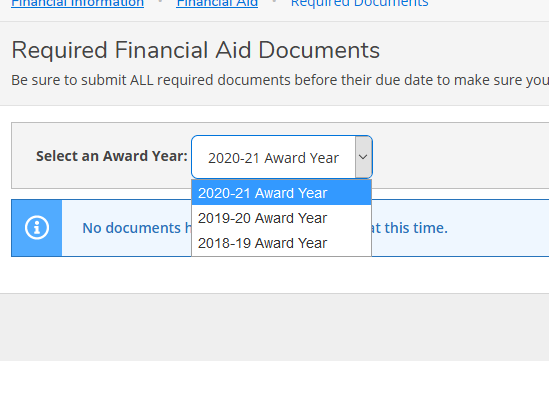
Choose the correct "Award Year".
Related articles