Your PCCC account may be temporarily blocked due to unusual sign-in activity that we noticed. We understand that getting your account blocked can be frustrating, but we also want to protect you from fraud or abuse. Below are the step-by-step instructions on how to unlock your account.
Instructions
-
Go to https://aka.ms/sspr to unlock your account.
-
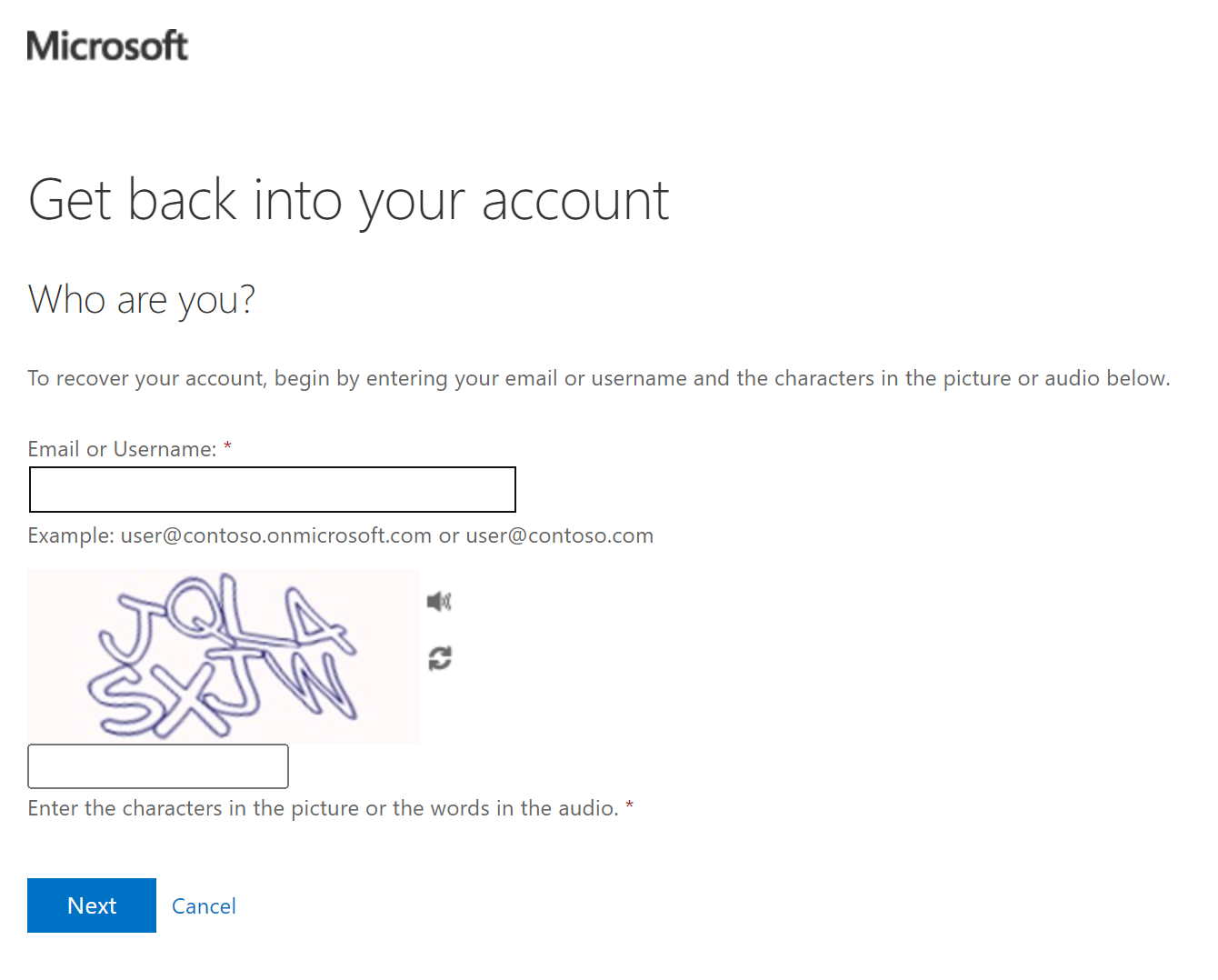
Enter your PCCC Account Username in the space under “Email or Username”.
-
ex: user@students.pccc.edu, user@adjuncts.pccc.edu, user@pccc.edu
-
-
In the space below the picture of letters and numbers, enter the characters in the picture you are provided.
-
To hear the characters out loud, click the audio button (

-
To get a new set of characters, click the refresh button (

-
-
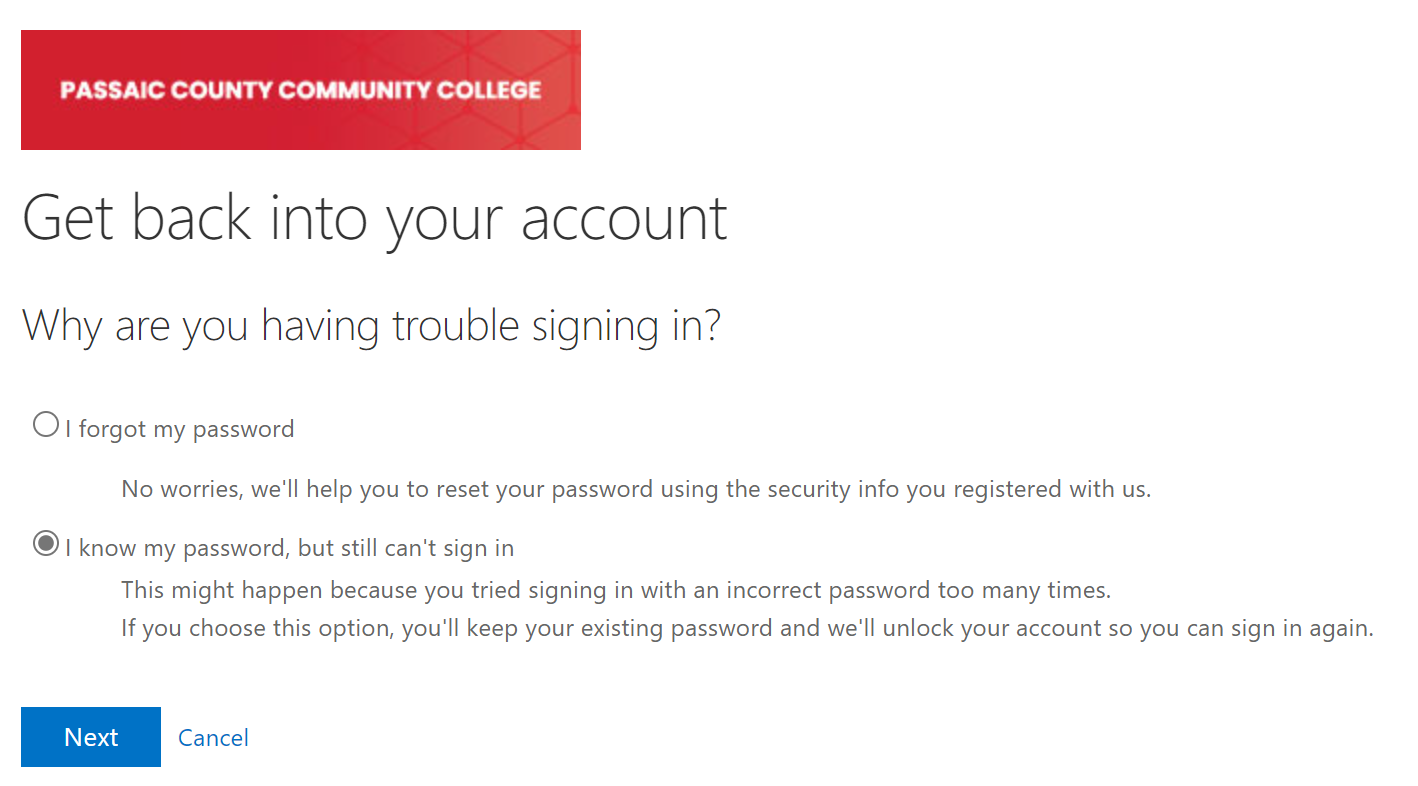
On the next page, select “I know my password, but still can’t sign in” and then click “Next”.
-
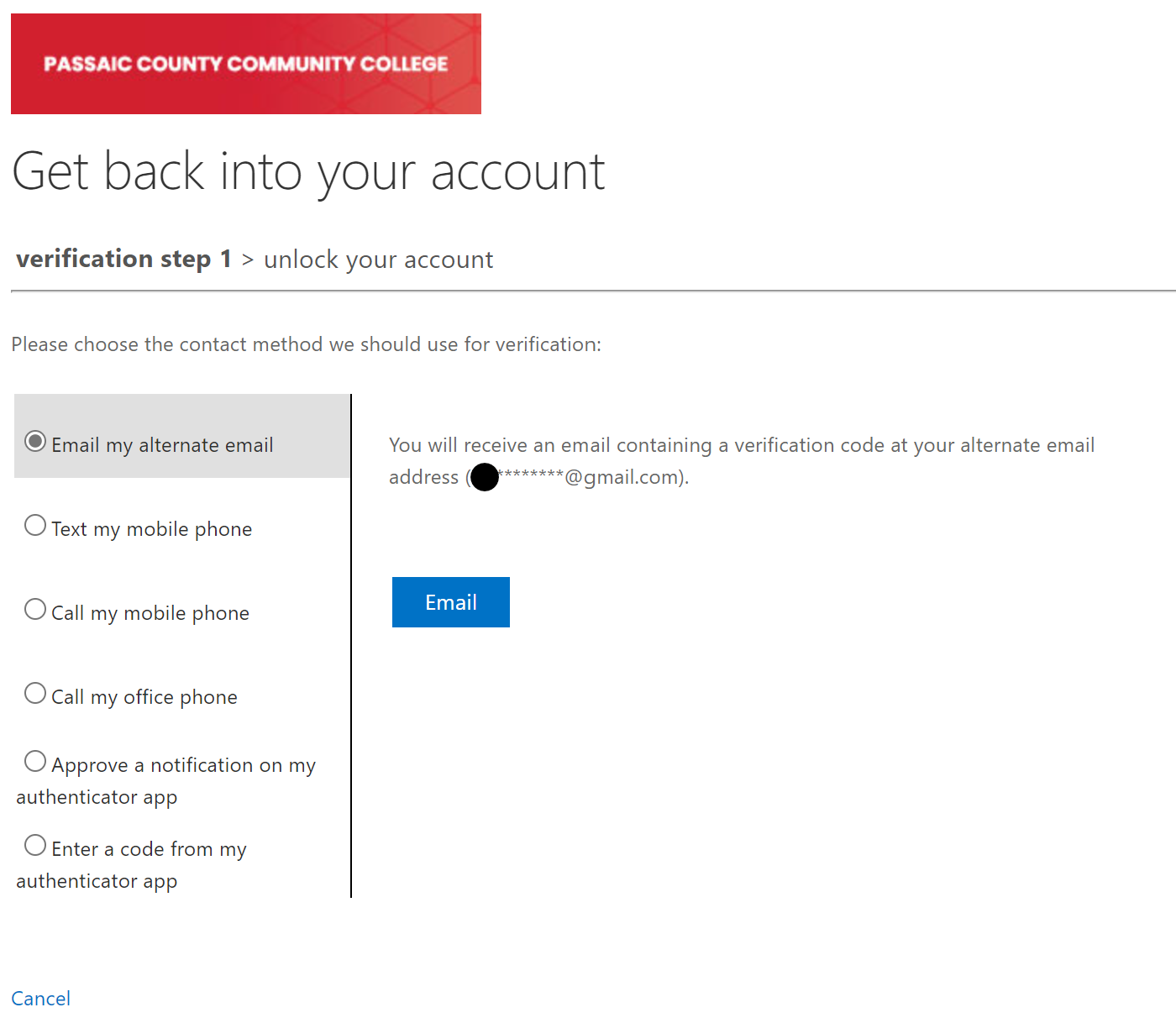
On the next page, for “verification step 1”, choose the verification method you would like to use to verify your account in the left panel.
-
Follow the directions on the right panel. Be sure you have access to the method you select.
-
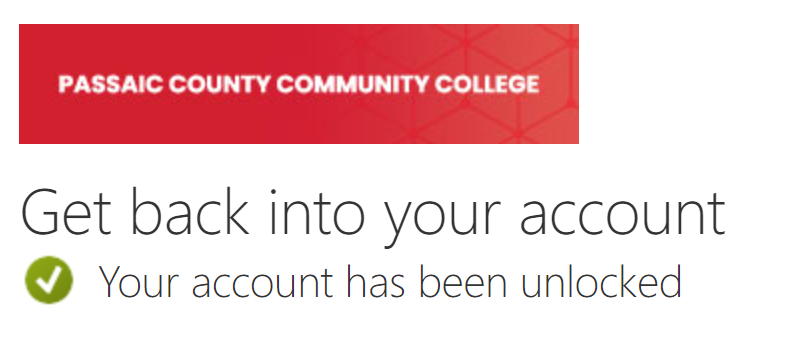
After verifying your account, you will get a confirmation page stating that “Your account has been unlocked”. You should be able to access your PCCC account now.