
Use the built-in Report button in Outlook on the web to report messages that aren't junk. This helps Microsoft better classify future email messages.
In Outlook on the web, select one or more messages in the Junk Email folder, select Report, and then select Not junk in the dropdown list.
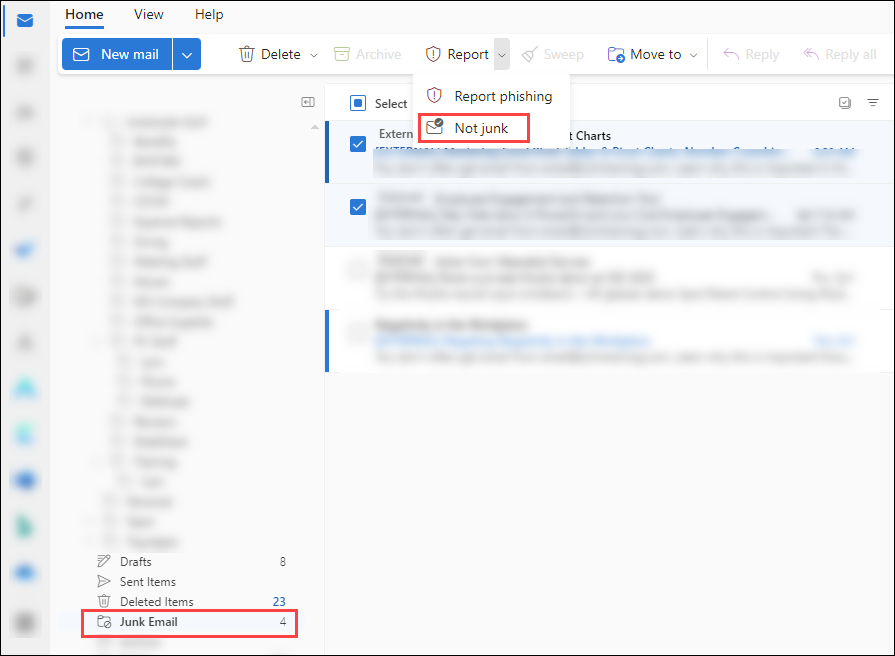
Based on the User reported settings in your organization, the messages are sent to the reporting mailbox, to Microsoft, or both. The messages are also moved out of Junk Email to the Inbox.