This article helps users determine the validity of links found within suspicious email that may have been received.
Step-by-step guide
-
Access your email inbox
-
Open the suspicious email
-
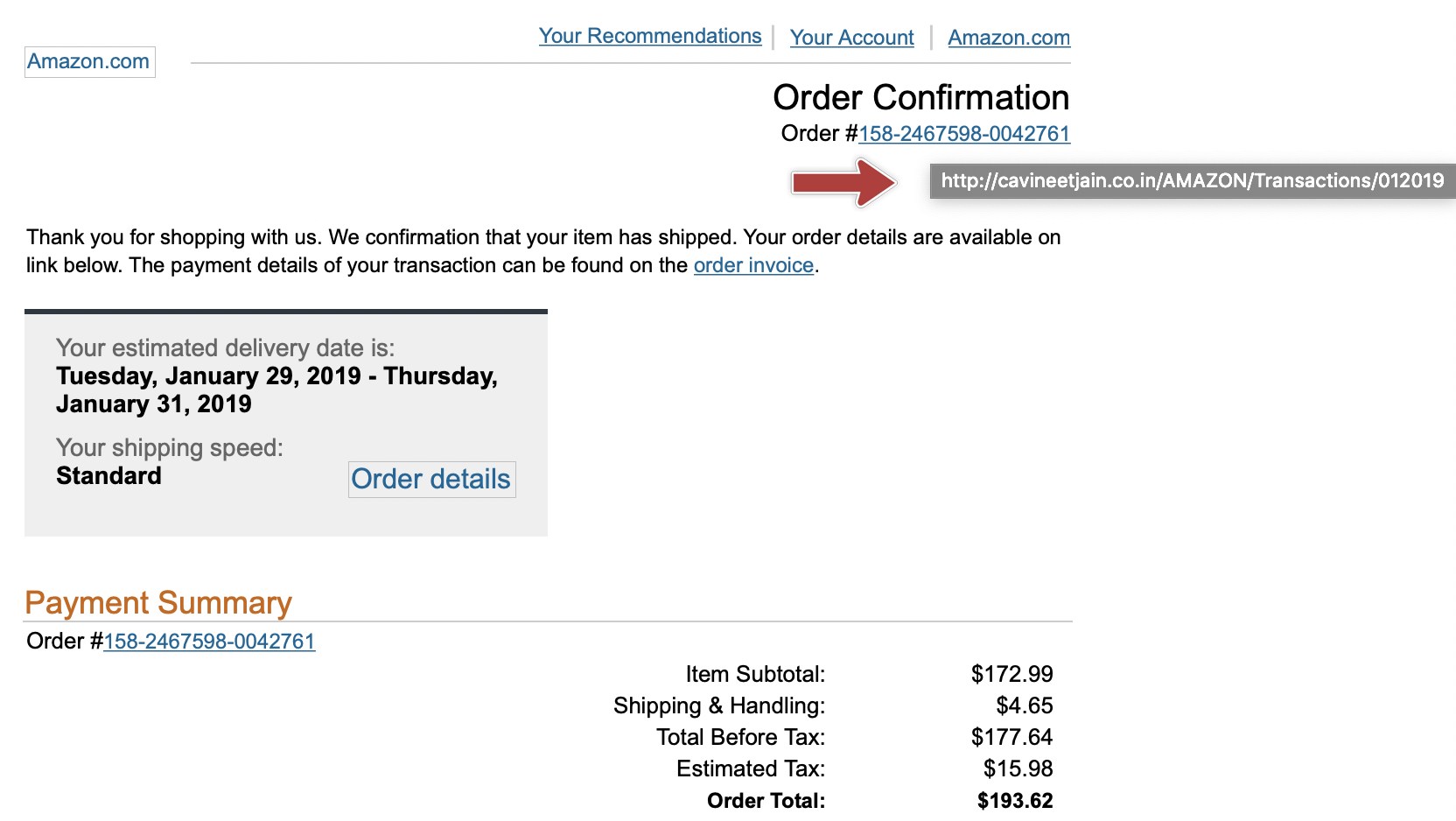
Hover your mouse pointer over the link in question
-
Compare the domain in the link with the domain of the apparent sender. For example, if you think the email is from Amazon, check if the link shows https://amazon.com/…
-
In the example below, the link does not go to amazon.com so it is obviously malicious and should not be followed.