
How do I check my account balance?
Step-by-step guide
You can check your current balance and pay your bill from your My PCCC Portal.
-
Go to your My PCCC Portal (How to Login to My PCCC Portal).
-
Billing and Payment information is located in the "Student Finance" section of Self-Service.
-
Click on Self-Service under the Tools section of the main menu on the left-hand side.
-
Click on the Student Finance tile in the middle of the page.

-
This will take you to the "Account Summary" page.
-
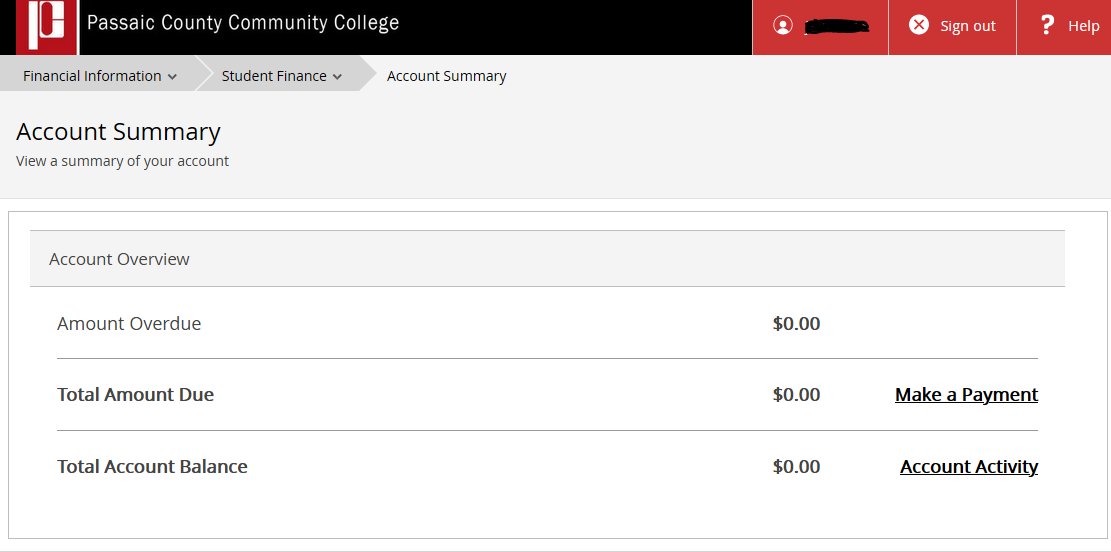
Self-Service Account Summary
-
-
Students can make payments through self-service by clicking on "Make a Payment".
The Student Finance section of Self-Service will give you access to the following:
-
Account Summary
-
Account Activity
-
Pay for Registration
-
Registration Activity
-
Registration Bill - Schedule
Related articles