
Who is eligible to install and use Office 365?
All currently registered students and employees of the college are eligible for the full installation of Office 365. Employee and student licenses permit up to five installations of Office 365 across work and personal devices. You must sign in with your PCCC account to activate the license.
Preparation
-
This process should take about one hour, however, the installation time is dependent on the features you choose to install and your internet connection speed
-
PCCC recommends a wired network. If you are using a wireless network, make sure your connection is stable.
-
Plug your computer into a power supply before beginning the installation and prevent your computer from going to sleep.
-
If your computer falls asleep during the installation, the process will pick up where it left off once it is awake.
-
Please do not open any Microsoft Office applications until the installation is complete.
Uninstall existing Microsoft Office installations
Existing installations of Microsoft Office may cause the new installation to fail. Prior to downloading and installing Office 365, make sure you uninstall any existing Microsoft Office installations.
On Windows, go to Settings → Apps → Microsoft Office → Uninstall.
Download the Installation Media
-
Visit https://m365.cloud.microsoft and sign in using your work or student email address
-
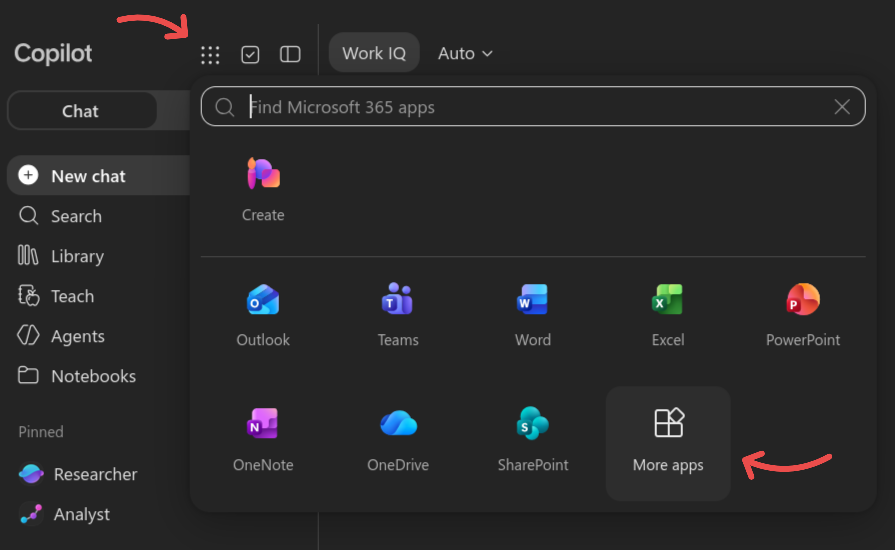
After signing in, expand the menu on the top left and then select More apps.
-
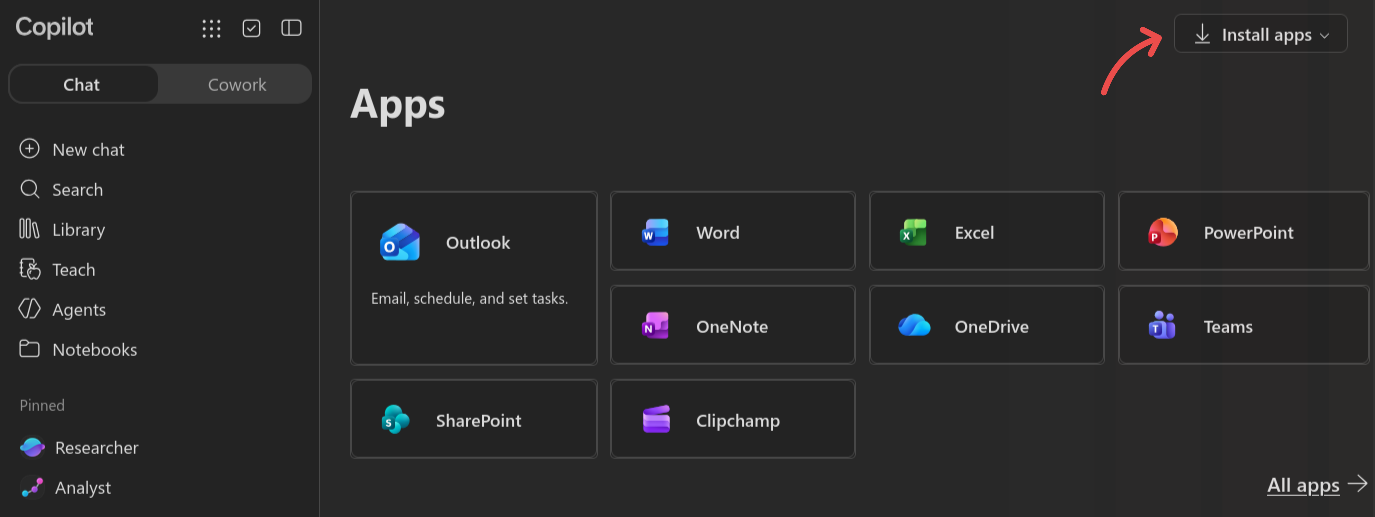
Then select Install apps in the top right corner.
-
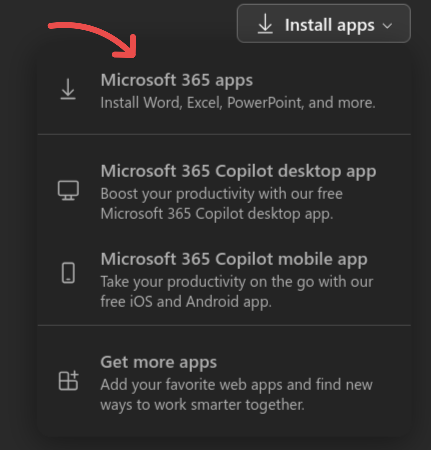
To download the available Office suite that is associated with your account, click Microsoft 365 apps.
Install Office 365
-
When the download is completed, open the downloaded installation media to begin the install process.
-
Follow the installation instructions and Use your PCCC Email address to sign in.
Warning
Please be aware that PCCC is unable to provide installation or troubleshooting support for Office 365 on personally-owned devices. However, Microsoft provides support services (see https://support.microsoft.com/en-us/contactus ).
If you are no longer a registered student or active employee, the Office 365 suite may cease to function without logging in to a Microsoft account with a paid subscription to Office 365.
Related articles