
Problem
What happens if I add a course after I already paid?
Solution
When a course is added the balance due will be updated and the student will be responsible to pay the difference. Students can view their account balances in the Self Service Section of their My PCCC Portal.
How do I check my account balance?
Step-by-step guide
You can check your current balance and pay your bill from your My PCCC Portal.
-
Go to your My PCCC Portal (How to Login to My PCCC Portal).
-
Billing and Payment information is located in the "Student Finance" section of Self-Service.
-
Click on Self-Service under the Tools section of the main menu on the left-hand side.
-
Click on the Student Finance tile in the middle of the page.

-
This will take you to the "Account Summary" page.
-
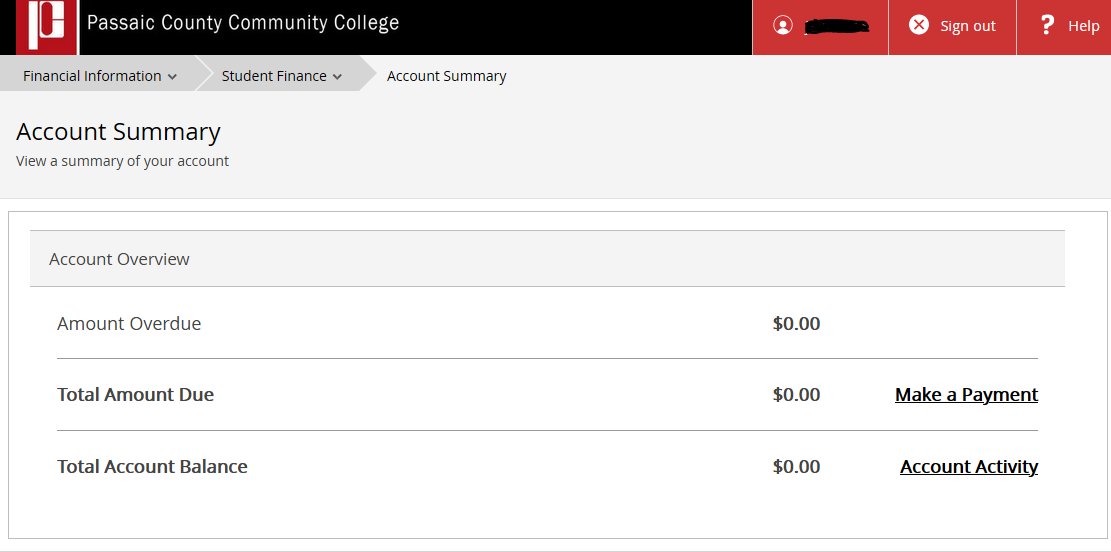
Self-Service Account Summary
-
-
Students can make payments through self-service by clicking on "Make a Payment".
The Student Finance section of Self-Service will give you access to the following:
-
Account Summary
-
Account Activity
-
Pay for Registration
-
Registration Activity
-
Registration Bill - Schedule
Related articles